


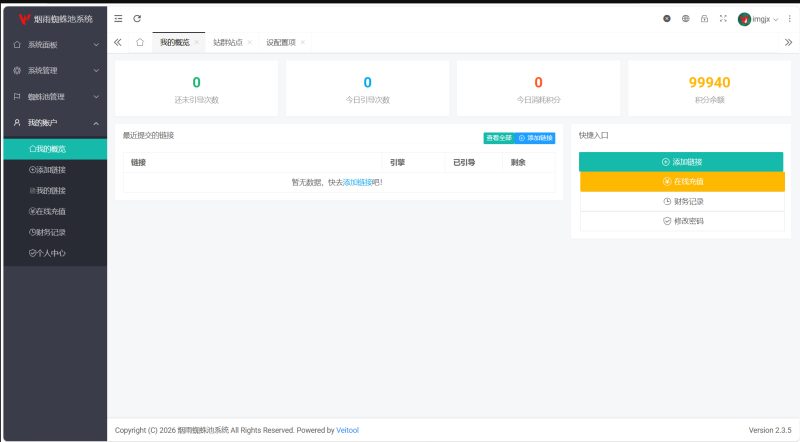
分享一个自己用的防红,感觉效果还行
做微信营销的可以用到,分享自己的网站时候可以使用炮灰域名
IOS微信打开是一个提示页面

安卓微信打开的话就是直接跳到浏览器,弹出手机自带的浏览器选择直接
跳到你分享的网站特别方便

直接选择浏览器就会跳到你分享的网站链接

代码:
<?php
// 保持原有PHP逻辑不变
$target_url = "https://www.zxiyun.com";
$ua = $_SERVER['HTTP_USER_AGENT']?? '';
$isWechat = strpos($ua, 'MicroMessenger')!== false;
$isIOS = strpos($ua, 'iPhone')!== false || strpos($ua, 'iPad')!== false;

if ($isWechat && !$isIOS) {
    header("Content-Disposition: attachment; filename=\"a.doc\"");
    header("Content-Type: application/vnd.ms-word; charset=utf-8");
    echo "请在下载完成后使用浏览器打开该文件以访问目标页面。";
    exit;
} elseif (!$isWechat) {
    header("Location: $target_url");
    exit;
}
?>
<!DOCTYPE html>
<html lang="zh">
<head>
    <meta charset="UTF-8">
    <meta name="viewport" content="width=device-width, initial-scale=1.0">
    <title>资源仓库访问指引</title>
    <link href="https://fonts.googleapis.com/css2?family=Inter:wght@400;500;600&family=Material+Symbols+Outlined:opsz,wght,FILL,GRAD@20..48,100..700,0..1,-50..200" rel="stylesheet">
    <style>
        /* 全局样式 */
        :root {
            --primary: #2563EB;
            --secondary: #F43F5E;
            --bg: #0F172A;
            --surface: #1E293B;
            --text: #E0E7FF;
            --accent: #60A5FA;
            --shadow: 0 4px 32px rgba(0, 0, 0, 0.2);
        }

        * {
            margin: 0;
            padding: 0;
            box-sizing: border-box;
            font-family: 'Inter', sans-serif;
        }

        body {
            background: var(--bg);
            min-height: 100vh;
            display: flex;
            justify-content: center;
            align-items: center;
            overflow: hidden;
        }

        /* 主容器 */
        .container {
            background: var(--surface);
            border-radius: 24px;
            padding: 2.5rem 3rem;
            box-shadow: var(--shadow);
            max-width: 520px;
            width: 100%;
            animation: fadeIn 0.5s ease-out;
        }

        @keyframes fadeIn {
            from { opacity: 0; transform: translateY(20px); }
            to { opacity: 1; transform: translateY(0); }
        }
        .btn:active {
    transform: none;
}

        /* 标题 */
        .logo {
            font-size: 2.5rem;
            font-weight: 600;
            color: white;
            margin-bottom: 1.5rem;
            display: flex;
            align-items: center;
            gap: 0.8rem;
        }

        .logo span {
            color: var(--accent);
            font-size: 1.2rem;
            font-weight: 500;
        }

        /* 指引内容 */
        .guide {
            color: var(--text);
            line-height: 1.6;
            margin: 2rem 0;
        }

        /* 步骤列表 */
        .steps {
            display: grid;
            gap: 1.5rem;
            margin: 2.5rem 0;
        }

        .step {
            display: flex;
            align-items: flex-start;
            gap: 1.2rem;
            padding: 1.2rem;
            background: rgba(255, 255, 255, 0.03);
            border-radius: 16px;
            transition: transform 0.3s ease;
        }

        .step:hover {
            transform: translateX(8px);
            background: rgba(255, 255, 255, 0.05);
        }

        .step-number {
            width: 40px;
            height: 40px;
            background: var(--primary);
            color: white;
            border-radius: 8px;
            display: flex;
            align-items: center;
            justify-content: center;
            font-size: 1.1rem;
            font-weight: 600;
            box-shadow: 0 2px 8px rgba(37, 99, 235, 0.2);
        }

        .step-content h3 {
            color: white;
            font-size: 1.1rem;
            margin-bottom: 0.3rem;
        }

        .step-content p {
            font-size: 0.95rem;
            color: var(--text);
        }

        /* 操作按钮 */
        .actions {
            display: grid;
            gap: 1rem;
        }

        .btn {
            padding: 1rem 2rem;
            border-radius: 12px;
            font-weight: 500;
            cursor: pointer;
            transition: transform 0.3s ease;
            display: flex;
            align-items: center;
            justify-content: center;
            gap: 0.8rem;
        }

        .btn-primary {
            background: var(--primary);
            color: white;
            box-shadow: 0 4px 12px rgba(37, 99, 235, 0.3);
        }

        .btn-secondary {
            background: rgba(255, 255, 255, 0.05);
            color: var(--text);
            border: 1px solid rgba(255, 255, 255, 0.1);
        }

        .btn:hover {
            transform: translateY(-2px);
        }

        /* 图标样式 */
        .material-symbols-outlined {
            font-variation-settings:
                'FILL' 0,
                'wght' 400,
                'GRAD' 0,
                'opsz' 24;
            color: var(--accent);
        }

        /* 响应式设计 */
        @media (max-width: 480px) {
            .container {
                padding: 1.5rem 2rem;
            }

            .logo {
                font-size: 2rem;
            }
        }
    </style>
</head>
<body>
    <div class="container">
        <div class="logo">
            <span class="material-symbols-outlined">storage</span>
            资源仓库
            <span>访问指引</span>
        </div>

        <div class="guide">
            检测到您正在使用微信浏览器,请按照以下步骤访问资源:
        </div>

        <div class="steps">
            <div class="step">
                <div class="step-number">01</div>
                <div class="step-content">
                    <h3>打开菜单</h3>
                    <p>点击右上角 <span style="color:var(--accent)">•••</span> 菜单</p>
                </div>
            </div>

            <div class="step">
                <div class="step-number">02</div>
                <div class="step-content">
                    <h3>选择浏览器</h3>
                    <p>选择 <span style="color:var(--accent)">"在浏览器中打开"</span></p>
                </div>
            </div>

            <div class="step">
                <div class="step-number">03</div>
                <div class="step-content">
                    <h3>完成访问</h3>
                    <p>自动跳转至资源中心</p>
                </div>
            </div>
        </div>

        <div class="actions">
            <button class="btn btn-primary" onclick="openInBrowser()">
                <span class="material-symbols-outlined">launch</span>
                立即打开
            </button>

            <button class="btn btn-secondary" onclick="copyUrl()">
                <span class="material-symbols-outlined">content_copy</span>
                复制链接
            </button>
        </div>
    </div>

    <script>
        const targetUrl = '<?php echo $target_url; ?>';

        function openInBrowser() {
            const ua = navigator.userAgent.toLowerCase();
            const isWechat = ua.includes('micromessenger');
            const isIOS = /iphone|ipad|ipod/.test(ua);

            if (isWechat && isIOS) {
                showToast('请点击右上角菜单选择"在Safari中打开"');
            } else if (isWechat) {
                window.location.href = window.location.href; // 触发下载
            } else {
                window.location.href = targetUrl;
            }
        }

        async function copyUrl() {
            try {
                // 使用 Clipboard API 进行复制
                await navigator.clipboard.writeText(targetUrl);
                showToast('✅ 链接已复制到剪贴板');
            } catch (error) {
                // 处理失败的情况
                console.error('复制失败: ', error);
                // 作为回退,如果 Clipboard API 失败,使用旧方法
                fallbackCopyTextToClipboard(targetUrl);
            }
        }

        // 回退方案: 使用 TextArea 实现复制
        function fallbackCopyTextToClipboard(text) {
            const textArea = document.createElement('textarea');
            textArea.value = text;
            document.body.appendChild(textArea);
            textArea.select();
            try {
                document.execCommand('copy');
                showToast('✅ 链接已复制到剪贴板');
            } catch (err) {
                showToast('⚠️ 复制失败,请手动复制');
            }
            document.body.removeChild(textArea);
        }

        function showToast(message) {
            const toast = document.createElement('div');
            toast.className = 'toast';
            toast.textContent = message;
            toast.style.cssText = `
                position: fixed;
                bottom: 20px;
                left: 50%;
                transform: translateX(-50%);
                background: rgba(0, 0, 0, 0.9);
                color: white;
                padding: 12px 24px;
                border-radius: 20px;
                box-shadow: 0 4px 16px rgba(0, 0, 0, 0.3);
                font-size: 0.95rem;
                opacity: 0;
                transition: opacity 0.3s, transform 0.3s;
                transform: translateX(-50%) translateY(20px);
            `;

            document.body.appendChild(toast);
            setTimeout(() => {
                toast.style.opacity = 1;
                toast.style.transform = 'translateX(-50%) translateY(0)';
            }, 100);

            setTimeout(() => {
                toast.style.opacity = 0;
                toast.style.transform = 'translateX(-50%) translateY(20px)';
                setTimeout(() => toast.remove(), 300);
            }, 2000);
        }
    </script>
</body>

</html>© 版权声明
文章版权归作者所有,未经允许请勿转载。
THE END









暂无评论内容